Clipping Path and Retouching: Learn Everything You Must Know
- October 8, 2025
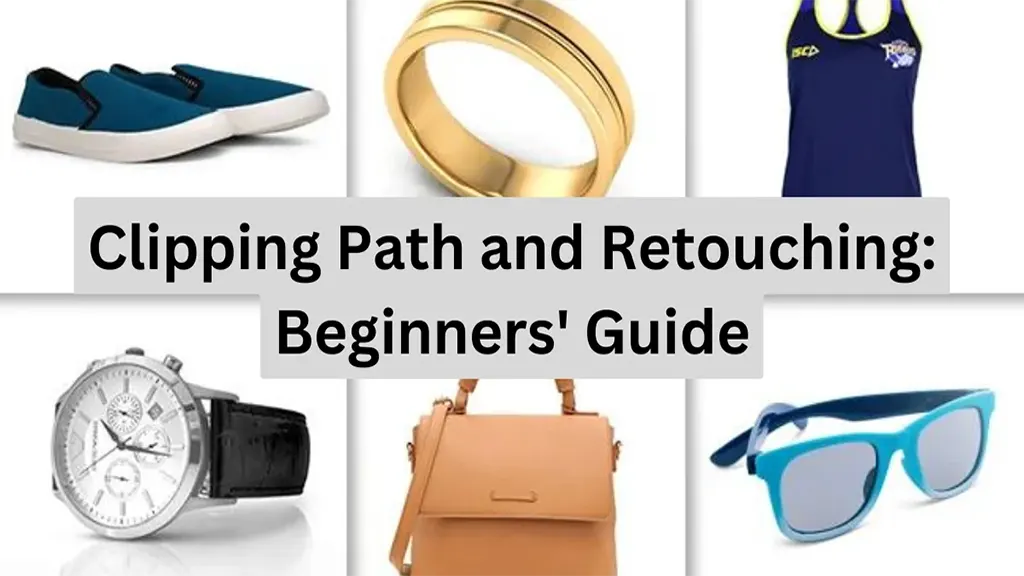
Extracting is only sometimes necessary for photo editing. You may occasionally need to cut while editing photos. For the clipping path and retouching, only a manually drawn pen tool is sufficient; nevertheless, other tools are needed for photo retouching. Photo retouching requires more skill than clipping the path for the most fundamental parts. To learn the basic difference between them, you will need to learn each of them separately at first. This article contains everything you need to know about Clipping Path and Retouching.
What is a Clipping Path?
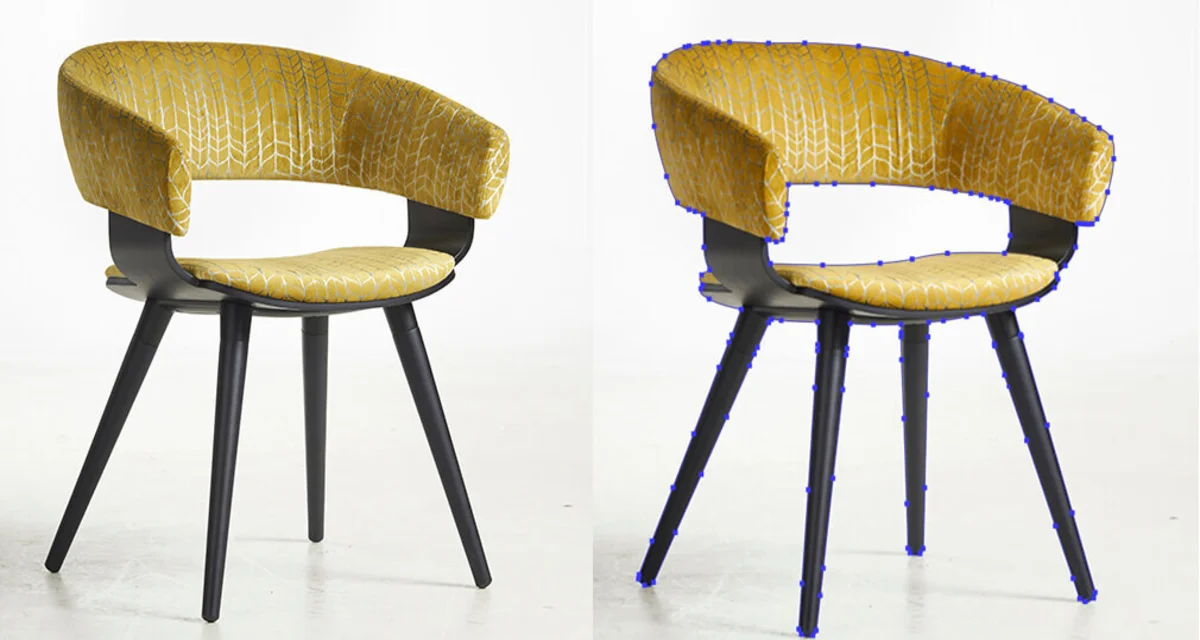
Clipping uses Adobe Photoshop’s pen tool to produce a close-up vector path or shape. Since Adobe Photoshop is more user-friendly and widely used in the photo editing industry, users typically do clipping paths with that program.
This technique for removing the backdrop is non-destructive. This technique is generally used to attach a white background or erase the experience from any images. However, clipping paths and retouching are connected.
What are the Types of Clipping Paths?
The picture editing profession offers a wide variety of career possibilities. I’ll give you an example by listing the most well-known companies in this field. Three types of clipping are:
- Single-layer clipping
- Multi-object clipping
- Complex clipping

Single-layer clipping: The most fundamental clipping level is single-layer clipping. It is also referred to as backdrop removal clipping or single object cutting. Most of the time, the object that needs to be clipped is straightforward and has few edges.
We can effortlessly remove the object of our desire from the image using the pen tool. The same layer will be used to draw the path.
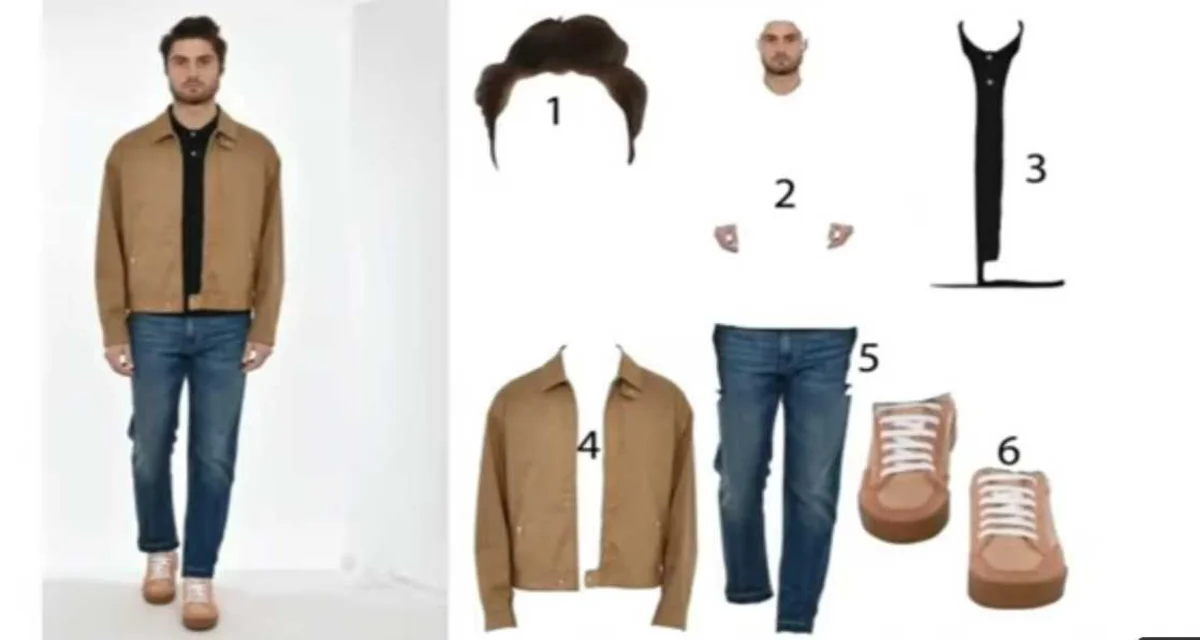
Multi-object clipping: This type of clipping necessitates some practice using the hand-drawn pen tool.
It is also referred to as a multilayer path because there is more than one layer. In other words, a multi-object or multilayer clipping is when we extract more than one object from the backdrop.

Complex clipping: Regarding Illustrator, there is a path that suggests creating at least one winner shape in response to the abstract artwork.
It is also a non-destructive method for any shape or structure. Furthermore, it enables us to adjust the images as necessary without losing resolution.
What Purpose Does a Clipping Path Serve?
Clipping paths can be used for a variety of purposes, some of which are covered below:

Background Removing:
Photoshop’s primary use of the clipping path is to eliminate the backdrop from any image. Applying a hand-drawn approach to particular photographs produces impressive results in some confusing graphics.
After that, we are utilizing the hand-drawn pen tool rather than another Photoshop technique to locate the sharp edge of any item image, which is much simpler.
Controlling Pictures:
Using Photoshop’s Path to edit any RAW photographs requires proficiency in both Photoshop and photographic editing. With the use of a clipping path, Photoshop gives you the ability to manipulate any image as desired. Fashion photographers can benefit from picture manipulation.
Creating a Multilayer Clipping Path:
One of the critical applications of the clipping path in Photoshop is creating multilayer paths for color masking and correction. The approach is the go-to solution for professional image editing for hair/wool masking and color correction.
What Benefits Does a Clipping Path Offer?
To present and market products, image clipping is widely utilized in the e-commerce, automotive, retail, and aerospace industries to give product photos and clip art an appealing makeover.
1) Saves Time
When a product photographer takes a picture of it, the background might not be appropriate, it might be in the wrong place, or it might not even be required. Photographers now require an excellent clipping path service. Therefore, post-production and important photo editing tasks are needed.
2) Brand-building
Managing a business can be challenging. Companies must address various issues, including how to compete with businesses operating in the same market. Businesses must regularly advertise their goods or services to boost their sales quota.
3) Clipping Route in Online Shopping
Today, the majority of consumers prefer online shopping. As a result, the online business has experienced tremendous growth. You should have a website to showcase high-quality photos of your company’s products if you want to succeed in this industry.

What is Retouching?
One type of image improvement is picture retouching, which involves manipulating an image to make it appear more elegant, tidy, and sparkly. After all, photo editing makes a picture more aesthetically pleasing and increasingly eye-catching.
For instance, Photoshop retouching, picture retouching, and digital airbrushing are all used to refer to photo editing.
Uses of Retouching
Creative Clipping Outsource provides a wide range of professional photo retouching services, including advanced makeovers and the removal of blemishes, skin breakouts, scars, and grime. The following photo retouching services are available from Clipping Outsource.

Difference Between Clipping Path and Photo Retouch
Thus, two types of image manipulation include image retouching and clipping paths. Simply put, you can frequently extract the item in an image using a clipping path. So, clipping path and photo retouching are similar.
Conclusion
Images of products have a manually drawn clipping path around their edges. Using a stamp tool, retouching removes drawings, dust, and other artifacts from photos to make them look more realistic. We can add shading underneath a product or polish a product’s natural shadow. In this article, we have provided all the basic knowledge a beginner needs. To learn more about Clipping Path and Clipping Path services, stay tuned with us.