
Best Photo Editing Apps For Social Media Post
- December 7, 2025
It is the age of visual storytelling, and social media has become a powerful platform for self-expression. You can be an influencer, a business owner, or an individual looking to enhance your online presence. The best photo editing apps for social media posts can take your promotion to the next level.
It would be a sin not to know the best photo editing apps and stay on trend! In our article, we will explore some of the best photo editing apps. They not only provide powerful editing tools but also offer user-friendly interfaces to make your creative process a breeze.
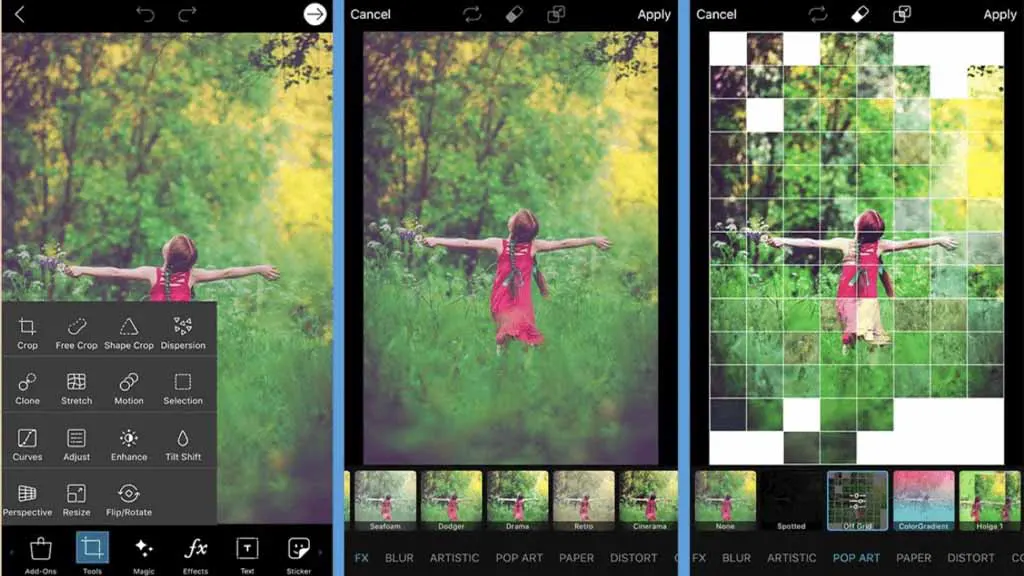
Best Photo Editing Apps For Social Media Post
Here is our compiled list of ideal photo editing apps for social media. Grab a look to get the best.
1) Adobe Lightroom: The Professional’s Choice
Adobe Lightroom has earned its stripes as a top choice for people who take pictures for a living or just for fun. It’s like a magic wand for your photos, making them look way better than you ever thought possible. This app is like a superhero for your pictures, especially if you’re into making your images pop with cool effects.
One of the coolest things about Adobe Lightroom is that it lets you become a photo pro without needing a degree in photography. It’s got these super cool features that let you tweak your pictures to make them look just right. You can adjust how bright or dark your photo is, fix up the colors to make them look amazing, and even choose specific parts of your picture to edit—it’s like having a paintbrush for your photos.
Whether you’re a total newbie or you’ve been snapping pics for years, Adobe Lightroom is easy to use. They made it so you can get the hang of it without pulling your hair out. The buttons and tools are like a friendly guide helping you along the way. So, you don’t have to stress about figuring everything out—just play around, and you’ll get the hang of it in no time.
And that’s why folks love Adobe Lightroom. It’s like having a photo buddy that’s always got your back, making your pictures look like they belong in a fancy gallery. So, if you want your photos to go from “meh” to “wow,” Adobe Lightroom is the secret sauce you’ve been looking for.
2) VSCO: Aesthetic Excellence
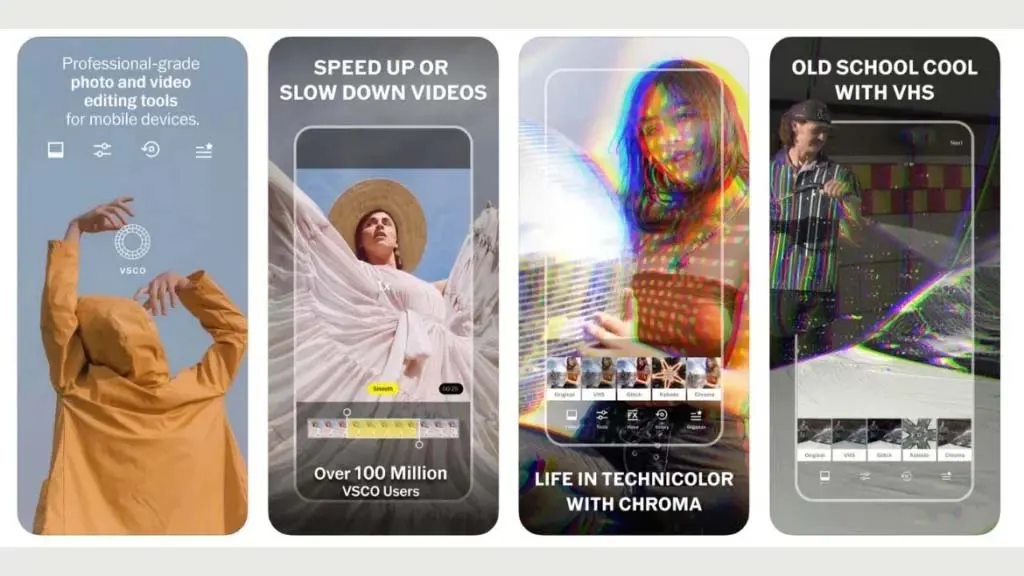
VSCO, known for its cool filters and simple design, is perfect for people who like their social media to look neat and clean. The app is like a digital artist’s toolbox, with filters that help your photos take on a similar style. It’s not just about looking good; VSCO also gives you tools to tweak small details in your photos, making them look stunning without breaking a sweat.
Imagine you have a bunch of photos from different moments, but you want them all to have a similar vibe when you post them on your social media. VSCO is like a magician that can make your photos look like they belong together. You get to play with filters – these are like magical coatings that change the mood of your photo. Whether you want it warm and cozy or cool and vibrant, VSCO has you covered. It’s not complicated either; the buttons are easy to find, making it a breeze for anyone to use.
3) Snapseed: Google’s Powerhouse
Snapseed, created by the smart folks at Google, is like having a powerful photo wizard right in your pocket. It doesn’t matter if you’re a beginner or a pro; Snapseed is there for everyone. It’s like a superhero that can fix and enhance your photos without making them look fake.
Imagine you have a photo that’s almost perfect, but there’s just one thing bothering you. Maybe the colors are a bit dull, or you want the details to pop. Snapseed comes to the rescue with its bag of tricks. You can play with colors and brightness and even add a little drama to your photos. The best part? You can try out different things without worrying because if you don’t like it, you can always go back to how it was—it’s like a safety net for your pictures.
In the world of photo editing, Snapseed is a playground where you can experiment and have fun. It’s like a game where the prize is a standout social media post. With Snapseed, your photos won’t just stand out; they’ll shine like stars in the social media galaxy.
4) Afterlight: Simplicity with Style
Afterlight is like a magic wand for your photos, finding the perfect balance between simplicity and powerful editing features. Even if you’re just starting your photo-editing journey, this app welcomes you with open arms, thanks to its user-friendly design. It’s like having a photography expert right in your pocket, guiding you through the editing process effortlessly.
The beauty of Afterlight lies in its ability to cater to everyone, from beginners to seasoned editing maestros. The app doesn’t overwhelm you with complicated menus or confusing buttons. Instead, it gently holds your hand and introduces you to a world of creative possibilities.
Imagine having a toolkit that’s like a treasure chest for your pictures. Afterlight brings this to life with its comprehensive feature set. You can think of it as your personal playground for editing—a place where you can experiment and play around until your photo looks just the way you want it.
Now, let’s talk about filters, textures, and frames—the secret ingredients that make your photos truly yours. Afterlight doesn’t just offer a few basic options; it showers you with a variety of filters that can turn a simple photo into a work of art. Textures add that extra oomph, giving your pictures a unique touch that stands out in the social media crowd. And frames? Well, they’re like the cherry on top, framing your masterpiece and making it ready for the spotlight.
5) Prisma: Transforming Photos into Art
If you’re someone who wants to make your pictures look like beautiful artwork, Prisma is the perfect app for you. Prisma uses artificial intelligence, like a smart computer, to transform your photos into amazing paintings or drawings. This adds a special, artistic touch to your social media posts, making them stand out from regular photos.
What’s great about Prisma is that it’s easy to use. The app is designed in a way that’s easy to understand, so you don’t need to be a tech expert to make your pictures look cool. The buttons and options in the app are simple, making the whole process of turning your photos into art feel like a creative adventure.
If you want to give your social media a unique, artistic vibe without spending a lot of time figuring out complicated settings, Prisma is the app for you. Just a few taps, and your pictures will turn into eye-catching artwork that makes your friends and followers stop and admire your creativity.
Conclusion
Choosing the right photo editing app for your social media posts depends on your specific needs and preferences. Whether you’re aiming for professional-level edits or simply want to enhance the visual appeal of your posts, these apps offer a blend of powerful features and user-friendly interfaces.
Experiment with different apps to find the one that best aligns with your creative vision and helps you stand out in the crowded world of social media. For more help, feel free to get in touch with us.