Making Sure Your Images Are Ready for The Web
- February 2, 2025
For any online business, optimizing images for the web is crucial in today’s digital landscape. Superior and uniform visuals not only enhance your site’s aesthetic but also foster trust among prospective clients. Subpar or ill-suited imagery can render your website unprofessional and cause visitors to leave. Engaging professional photographers or designers for services such as background removal, image masking, color correction, and deep etching often proves costly, particularly for small enterprises. Self-executing these tasks typically demands expertise in software such as Adobe Photoshop, Illustrator, or InDesign and frequently fails to yield professional-quality outcomes. While stock photography offers an alternative, its frequent inconsistencies in tone, lighting, and style can undermine your brand identity.
A more effective approach is to hire professional image editing services. These services provide:
- Clipping path services
- Background removal
- Color correction
- Drop shadow effects
- Raster to vector conversion
Delegating these duties ensures premium product photography, frees up your schedule, and lets you focus on expanding your business. It offers an affordable method to ensure your eCommerce site appears professional and maintains visual consistency.
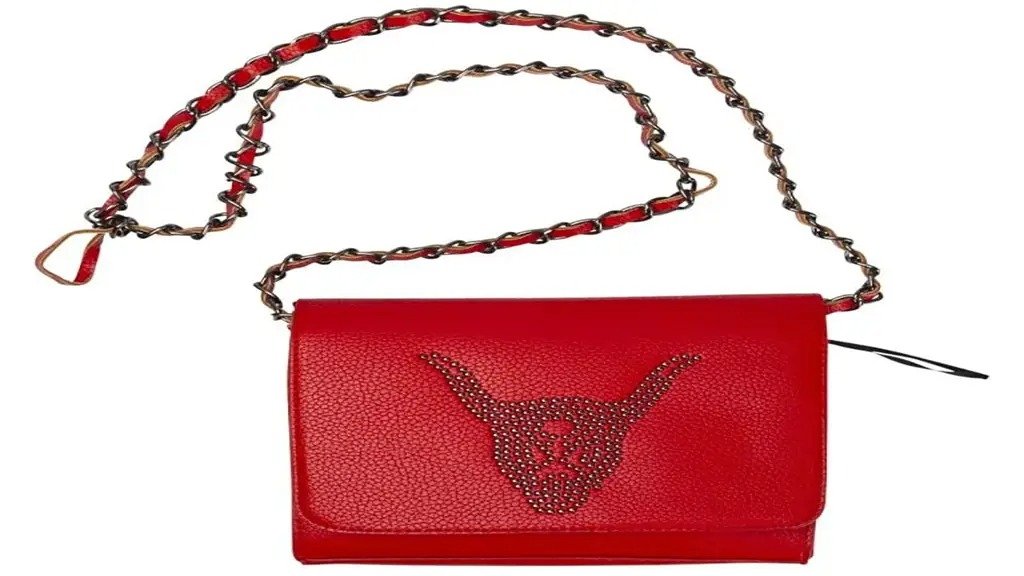
Clipping Path
Clipping path is the act of removing the background. It is sometimes called ‘deep etch’. Basically, it is a closed vector path or shape that defines an area inside a 2D image that will be separated from the rest of the image. The path can have aliased or anti-aliased edges depending on your preferences. This is used so that products are separated from the environments they were taken from. As opposed to using a magic wand tool, which is most of the time destructive on the intended part of the image to be separated, the clipping path cleanly cuts out the intended parts of the image to be used.
For example, you have a shoe that you need to sell. Imagine that you made every effort to make sure that the image is taken so that the background is not clear or as clean as possible, with a white background to match the white background of your site. Still, you will have those errant shadows, and what will happen if you choose to change the background of your site? Now the images won’t fit anymore, so you’ll have to avail yourself of these services, or you will try to do it yourself.
Select the pen tool (P) in Photoshop.
- Trace the part of the image you want clipped by
Click more and more points - When you are done tracing around the image, click
on the original point - Then in the Paths panel, double-click on the Work
A path to save it - Right-click in the path panel and then select
Clipping Path
Image Masking
For images that are much more complex and natural, the better solution would be to use image masking. It is much more viable for objects with fuzzy or soft edges, people, animals, and images showcasing nature. Things like hair, skin, and fur would be difficult to cut correctly with a clipping path, which is best suited for man-made, artificial objects with hard edges. The problem is finding the right amount of masking to remove the needed background without being too rough on the cut-out that it distorts the image. This distortion would be clearly visible, as humans are accustomed to finding soft edges on hair and fur, and a clean cut is that much more noticeable.
Image masking solves this problem by not immediately cutting up the image but by assigning an alpha
value, or an arbitrary opacity value, to a specific pixel based on the illumination value on a defined mask. Basically, it means that it takes a layer in Photoshop and it determines how transparent a pixel of a layer by how lighter or darker a pixel is in the same area in the designated mask. This mode of changing the opacity allows the image cut-out to have a range rather than a clean cut, and we can finally select the details and then slowly fade them out.
- Choose the layer you want to edit and add a mask
to it. - Before editing the mask, make sure you select it.
the mask of the layer, not the layer itself. - Remember that black means fully transparent and
white means fully opaque, and anything in between is a blend of transparency.
You can then paint as if you were painting the
opacity of the layer
Drop Shadow
After you remove the image from the background, you might want to add more visual pizzazz to the image. A subtle but effective way to do it would be to add a drop shadow to the cut-out image. It adds an accent to the image to ensure that it pops out. Likewise, a drop shadow on an image in a site makes it look 3D and pops out from the web page, and presents your product beautifully as opposed to a clean cut.
Generally, a drop shadow works best in an image that has already been edited and cut from its background, as it will then follow the contours of the image and make the shadow natural.
Raster to Vector
Changing a raster image into a vector one is a much more complex method than the one discussed before. Raster images are images like pictures, like jpegs and the like, while vector images are composed of lines and paths. Vector images are good because they are scalable to great sizes without losing quality; however, they don’t hold the same amount of information density as a raster image can hold.
Doing this is beyond the scope of this article and is more on the line of how you interpret a particular image into simple shapes. Though your vector art can be complex, ultimately it will be colored shapes and how you compose them. A good software commonly used is Adobe Illustrator.
Neck Joint
It is the process of producing an image of clothing that looks like it was worn by an invisible person. This is common in online fashion stores, as an alternative to showing a model, they promote the clothes themselves. The images are actually taken with a real opaque model or mannequin and are just cut out from the picture, and an image of the inside of the shirt or dress is then put under the cut-out image. The effect created is that the shirt is worn by an invisible person.
This is a nice little effect and visual design that emphasizes the product rather than the model wearing it. If you don’t want to use mannequins in your pictures and can’t afford models, then you can take a picture wearing the clothes and then have it edited.
Color Correction
This is the application of adjusting color values like hue and saturation to make sure that the image is presented under a specific tone or mood. It is known that colors encourage a mood or tone so you have to be careful that the colors of your products show the mood or tone that best supports the product and your shop. Color correction is also used to ensure that the products on the site seem connected as they are under the same tone and feel much more professional. There are a lot of variables to edit when color correcting, and you can even color correct specific parts or specific hues of an image.
Ultimately, it is about setting the proper mood or emotion of a particular image or a group of images to align with what you want.
Photo Restoration
It is the use of editing software like Photoshop to cause damage in a photo. For example, you have an old or dilapidated photo, and you want to restore it to a pristine state. This is mainly used for photos without a digital counterpart, and there are a lot of techniques and tools you can use, such as the stamp and heal brush. Along with the tools listed above, there are other tools to help you in your restoration.
Conclusion
Optimizing images is essential for creating a thriving online store. Maintaining consistent, high-caliber imagery boosts user satisfaction and reinforces brand trust. Rather than wrestling with complex software like Adobe Photoshop, hiring professional image editors saves time and ensures superior results. Tools like clipping paths, background removal, and color correction ensure visual consistency throughout your website. Optimized images ultimately enhance conversions and strengthen your online presence.