
How to Fix a Dark Polaroid Picture? Easy Solution to Dark Polaroids
- February 14, 2024
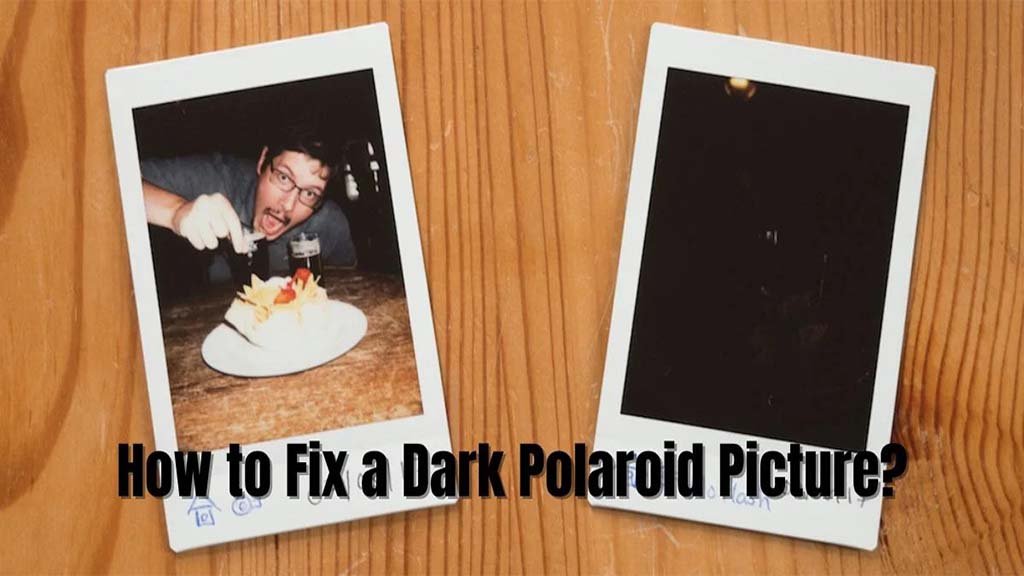
Polaroid pictures have their unique charms. They are antique and easily capture customers’ attention. Square frames are lovely. They always promote a vintage environment. Most netizens today prefer Polaroid photos over digital images.
However, the beauty can quickly become desperate if the beautiful Polaroid photos turn out dark. Have you ever faced such a scenario? There’s a noticeable difference when you want to edit a photo from an instant camera.
You can never trust your editing skills when using a Polaroid camera. Neither can you simply edit the image right after you take it. There’s no post-process option in the camera settings. So, how to fix a dark Polaroid picture? You will have to try other methods to edit any Polaroid image.
Today, we will learn how to deal with dark Polaroid photos. Here, you will also find some useful tricks on how to use your instant camera to get the best pictures.
How to Fix a Dark Polaroid Picture?
Let’s grasp why your Polaroid pictures might end up too dark. One common reason is insufficient light during the exposure. Additionally, incorrect camera settings or an expired film cartridge can contribute to the problem.
Step 1: Proper Lighting
The primary solution to a dark Polaroid picture is proper lighting during photo-taking. When you capture a photo, be mindful of the available light. Natural light works best. Always place your subjects near windows or well-lit areas. If indoors, turn on additional lights to brighten the scene. Remember, a well-lit environment is the first step to a brighter Polaroid.
You can brighten most of the images. However, since the original is pitch black, you can’t use photo editing software to brighten the image.
Step 2: Adjust Camera Settings
Polaroid cameras, while simple to use, often come with adjustable settings. Check your camera’s manual to locate the exposure control or brightness adjustment feature.
Experiment with different settings until you find the one that suits the lighting conditions. Always remember that any minor change can add significant value to the finals.
Step 3: Film Quality and Expiry Date
Always examine the film quality. Ensure you are using fresh film with a valid expiration date. Expired film can lead to underexposed pictures. It may often result in dark Polaroids. Always check the expiration date before loading a new film cartridge into your Polaroid camera.
Step 4: Post-Capture Editing
If your Polaroid picture is still too dark after following the steps above, fear not: there’s a simple post-capture solution. Many photo editing tools are available online. Tools provide an easy-to-use interface and adjust brightness and contrast. Upload your dark Polaroid picture to one of these platforms and experiment with the brightness settings until you achieve the desired result.
- Adjust Color Balance: Color correction is a valuable step. Even if your Polaroid is good at the beginning, most of them would turn yellow or green over time. However, you can fix this easily by picking “Auto Color” from the Adjustments tab. Some photo editing software may not offer an option to automatically correct colors. If you’re like that, you will have to do it manually. You can select Curves or Color Balance and reduce the yellow or green tint.
- Increase Sharpness: Sharpness helps appreciate the fine details. You have to check whether your version of Photoshop has the Unsharp Mask option. It includes an image preview so you can easily see the difference as you adjust the settings.
- Resize Your Image: The last step is to make sure your edited image fits standard print formats. Polaroid prints always come in a square format, so you have to adjust the height and width.
Before saving, select the resolution of 300 PPI for print. And if you’re only using the images for the web, 72 PPI will be enough.
Why do Polaroids Become Dark?
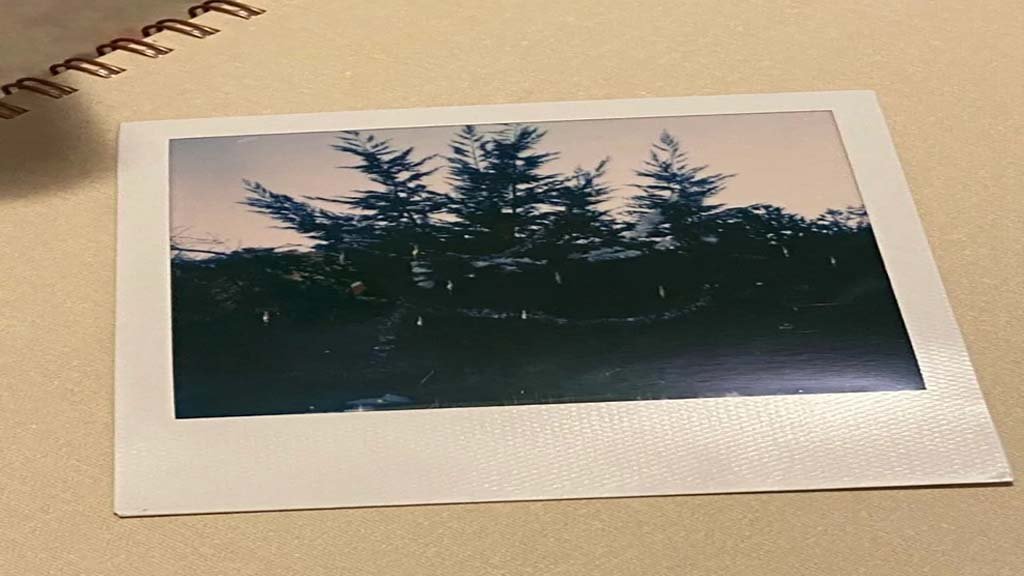
A Polaroid picture may turn dark for various reasons related to the camera, film, and shooting conditions. The factors can help troubleshoot and prevent dark Polaroid photos. Here are some common reasons:
- Insufficient Lighting: Polaroid cameras rely on instant film that reacts to light. If the scene is poorly lit or there is inadequate light during the exposure, the resulting picture may appear dark.
- Camera Settings: Polaroid cameras often have basic settings that can affect the exposure of the photo. If the camera settings are not properly adjusted to the lighting conditions, the picture may turn out darker than expected.
- Expired Film: The film used in Polaroid cameras has an expiration date. However, expired film can lead to unpredictable results, such as including underexposed or dark images. Always check the expiration date on the film cartridge before use.
- Incorrect Exposure Time: Some Polaroid cameras do not have automatic exposure control. If the exposure time is not set correctly, the photo may be underexposed, resulting in a dark image.
- Incorrect Development Conditions: Polaroid film requires specific conditions for development, including temperature and time. If the film is not allowed to develop properly or is exposed to extreme conditions during development, it can lead to dark images.
- Camera Malfunctions: Mechanical issues with the camera, such as problems with the shutter or aperture, can contribute to underexposed images. Regular maintenance of the camera can help avoid malfunctions.
- User Error: Simple mistakes, such as forgetting to remove the lens cap, can result in dark photos. Always double-check the camera settings and ensure that all components are functioning correctly before taking a shot.
To prevent dark Polaroid pictures, you should pay attention to lighting conditions. Use fresh film, adjust camera settings appropriately, and handle the camera with care. Troubleshooting the specific cause of darkness can lead to improved results and more vibrant instant prints.
Final Words
So, how to fix a dark Polaroid picture? Well, it is a straightforward process. However, it requires some attention during both photo-taking and editing. With adequate lighting, adjusting camera settings, using fresh film, and employing post-capture editing tools, you can effortlessly improve the brightness of your Polaroid pictures. No need for more tools—just a tactical approach to capture and preserve the Polaroids that matter most. For more, you are always welcome.