
What is Clipping Path: Guide for Beginners
- January 1, 2025

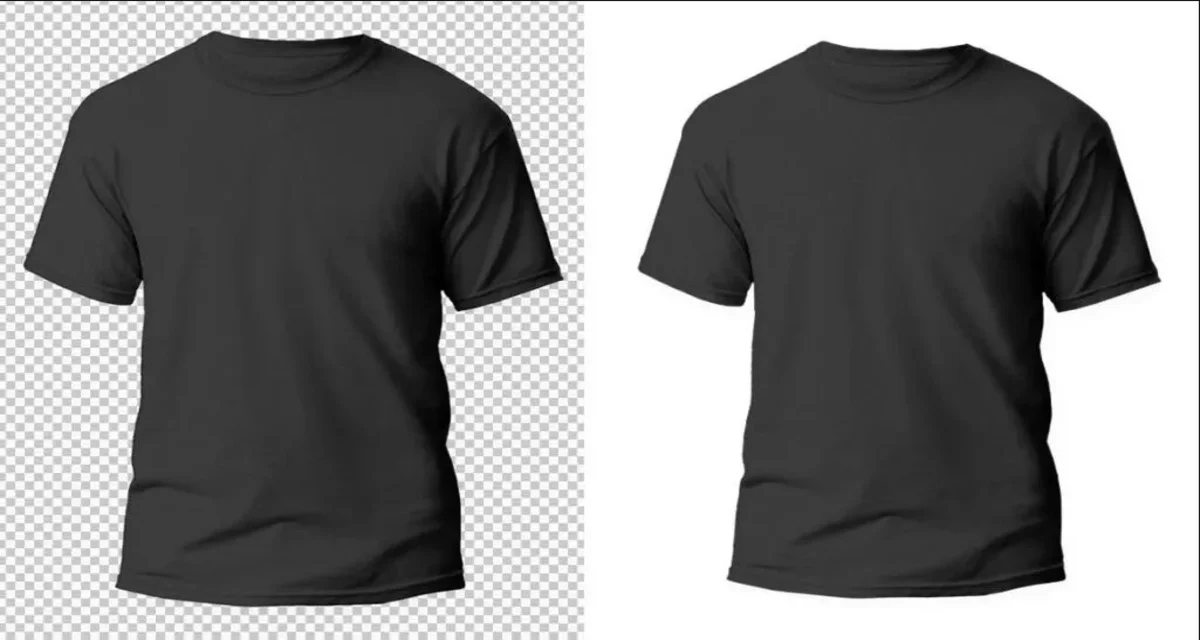
Clipping paths are an editing technique for removing an image’s background. Typically, designers use Photoshop and its pen tool for this process. While using the pen tool, you select paths to create a closed vector path or shape. This way, you can separate the selected part of the image from the rest. Using clipping paths in Photoshop is not easy, as it requires the precision of an experienced graphic designer. Poor clipping path work results in unnatural images. These mistakes are easily noticeable by consumers, affecting your brand and reputation. Ideally, clipping paths are necessary when the image features straightforward edges. These can be boxes, accessories, clothing, ornaments, etc. On the other hand, using a clipping path on intricate lines, such as hair or fur, would not work. The result will not look natural or real.
Types of Clipping Path
There are two types of clipping paths: single-layer and multilayer. Here’s a quick definition of both types and when each one is necessary.
Single-Layer Clipping Path
A single-layer clipping path involves using the pen tool in Photoshop to create a simple path on a single layer. This is the basic clipping path technique, necessary for removing or changing the background.
Use this technique to transport an item or model to a more colourful background, adding more life to it.
Multi-Layer Clipping Path
In this case, the designer uses the pen tool to extract several sections of a single image. This clipping path technique is more advanced. Typically, editors employ a multi-layer clipping path to break down a photo into multiple layers. As a result, retouchers can colour-correct specific parts of an image with ease.
Use this type of clipping path to change the colour of clothing or accessories. Additionally, a multi-layer clipping path allows you to retouch a model’s hair or an item’s visuals.
Benefits of Clipping Path
Clipping path is a basic editing technique. Hence, almost every business and every graphic designer use it. These are some of the reasons why.
Background Removal
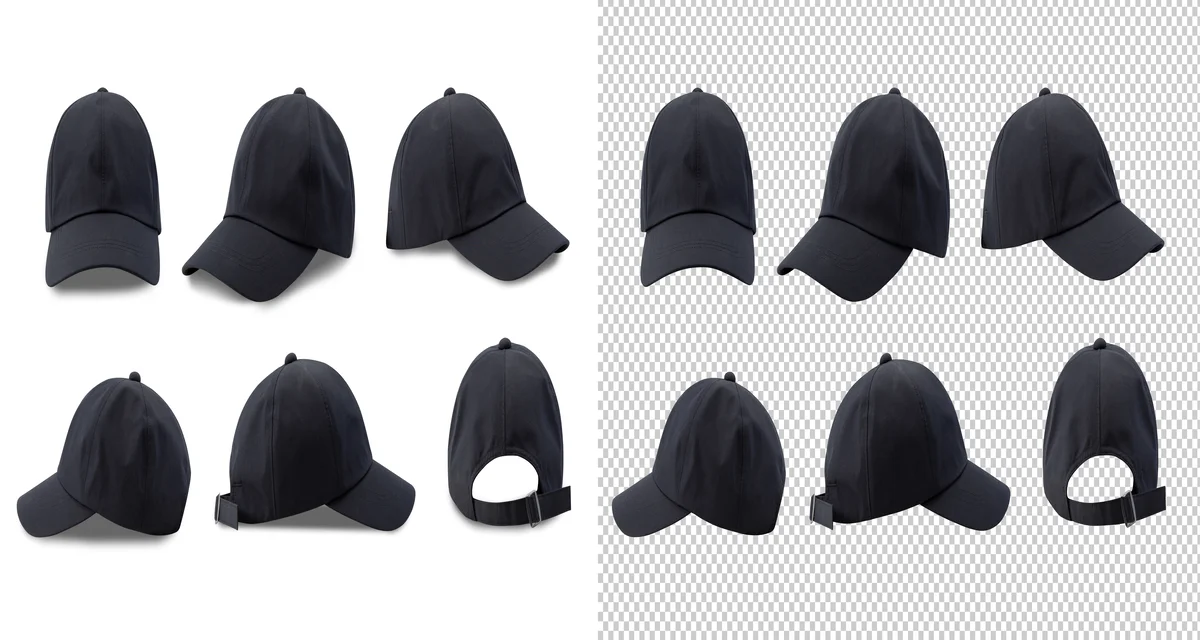
Adding a different, more colourful background enhances the quality of the image subject. Items are more visible, and people look more vibrant.
Removal of Unwanted Objects:
Clipping paths allow easy removal of another object or item, drawing attention away from the main subject.
Separate or Replace Objects in a Photo:
If a company changes its product image, designers can replace the visuals in ads and promotional photos.
Recoloring:
Use a multilayer clipping path technique to retouch clothing or accessory colouring to make the image more vivid.
Who Benefits From Clipping Path Services?
Online E-Commerce Stores:
Stores using e-commerce websites must show their products without backgrounds.
Post-Production Editing:
Studios use clipping path services to remove anything that doesn’t fit in the desired image.

Website Design:
Clipping path allows website designers to create eye-catching banners and images. This way, you can customise your website with your brand and colours to grab customers’ attention.
Architects:
Architecture and general designs use clipping path services to expand interiors. This technique is effective while presenting home models or remodelling projects to clients.
Magazines:
The advertising industry displays models and items extracted from other images.
Businesses:
Any modern business needs a website, which also requires photographs without backgrounds.
Graphic Designers:
Lastly, many graphic designers use or hire clipping path services to outsource the workload and complete projects on time.
Is Clipping Paths and Masking the Same?
The purpose of clipping path and image masking is the same: to separate a subject from the background. However, these two techniques achieve the same result using different methods. Knowing which technique to use will also depend on the type of image.
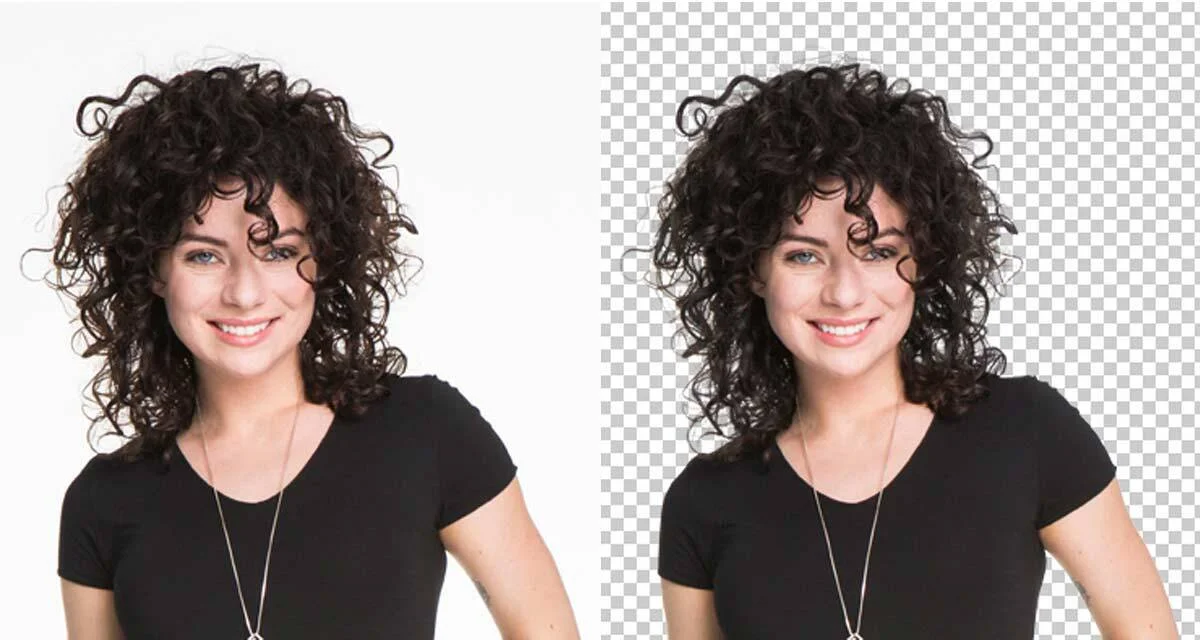
Clipping paths requires using the pen tool in Photoshop. On the other hand, image masking involves more than one tool. Masking usually requires designers to use the Background Eraser Tool and the Magic Eraser tool. Additionally, a colour separation technique is also necessary.
The complexity of the image indicates which technique is the most convenient. Generally, clipping paths are more effective when the subject has straight or slightly rounded edges. Image masking is more advanced and is more suitable for drawing out complex lines. For example, masking will give designers more control and cleaner results while shaping out hair.
Professionals Use a Combination of the Two
It is not uncommon for professional designers to use clipping paths and masking techniques on a single photo. Clipping paths allow designers to work around hard edges, whereas image masking handles softer, more intricate areas. Usually, professionals use a clipping path first and masking later to finish retouching the image.
Clipping Path Services — Are They Reliable?
Companies offer professional clipping path services to extract objects and people from still photos. These services usually include additional offerings, such as photo editing or image manipulation. Professionals in different fields offer clipping path and similar services. You can contact graphic design studios, web designers, printing companies, lithographers, and photography editors.

The service’s price is reasonable, especially for startups looking to increase product exposure. Developing countries like Bangladesh or India host many agencies offering clipping path services. For a low cost, you can outsource the work and receive quality results.
How to Select a Clipping Path Service
Many clipping path providers offer their services online. Nonetheless, knowing how to pick one is essential to boost your image at reasonable costs. The following tips will help you find an ideal clipping path service.
Established Reputation:
Search for providers online and take a close look at their history. Make sure the preferred provider has an established reputation to guarantee your money and product image are safe.
Review Previous Work:
Take the time to look at previous work done by the providers. It will allow you to know whether the designer shares your vision.
Compare Prices:
Clipping path services are widely available online, and the prices vary. Choose a provider compatible with your budget.
Customer Service:
Services like clipping path require constant feedback between the provider and the customer. Make sure that the provider is easily accessible and available to respond to any inquiry you may have.
Conclusion
Clipping paths is a basic editing technique, but not everyone can do it effectively. Image quality and attention to detail separate boring photographs from eye-catching imagery. This is essential for online stores and businesses, which depend on their ability to get the customer’s attention. Overall, fine clipping path work can be effective enough to boost sales.