cci logo

Clipping Creations India

  • Home
  • Image Editing Services
    • Background Removal
    • Clipping Path
    • Multi-Clipping Path
    • Ghost Mannequin
    • Car Photo Editing
    • Product Photo Editing
    • Image Masking
    • Drop Shadow
    • Color Correction
    • Photo Retouching
    • Vector Editing
    • Photo Editing
  • Blog
  • Pricing
  • Contact Us
  • Free Trial
Home  »  Tutorial   »   Adobe Photoshop Clipping Path: Are You Missing Out Something?

Adobe Photoshop Clipping Path: Are You Missing Out Something?

  • Clipping Creations India
  • January 30, 2023
  •  
    • Tutorial

Making intricate selections from photos can be accomplished with the help of Photoshop’s powerful features. Adobe Photoshop Clipping Path tool in Photoshop is applied to an image to remove undesired features like backgrounds and other items. The experience is typically removed using a clipping path to isolate an object or person in a photograph.

Additionally, it can eliminate undesirable aspects of the image, such as shadows, reflections, or highlights. Any designer or photographer who wants to choose and enlarge the specific element they require must use clipping paths. It is simple to add the component to a new image, crop and resize it, or even apply more effects using Photoshop’s Clipping Path tool.
How to Create Adobe Photoshop Clipping Path?

The steps for making a clipping mask are as follows:
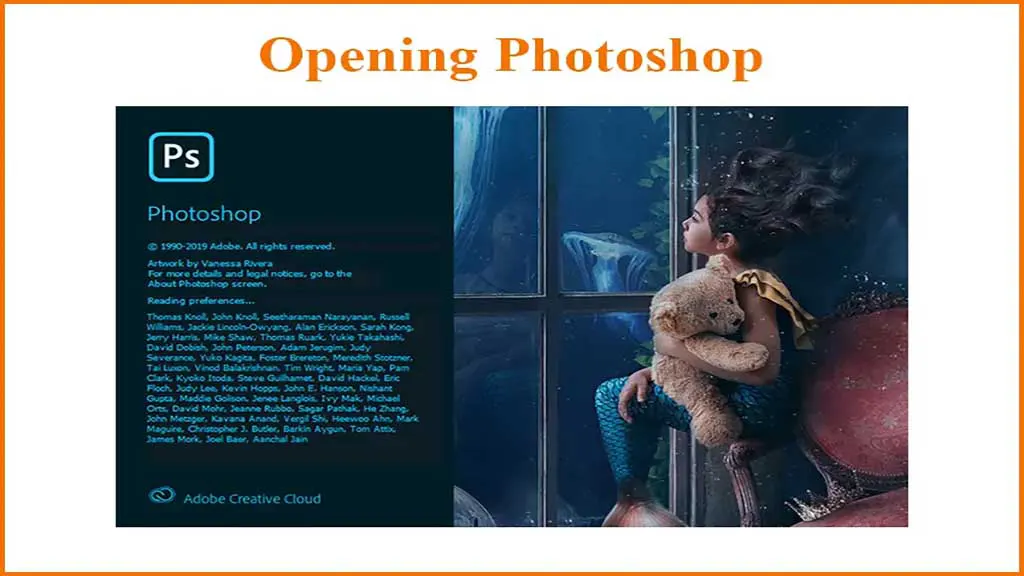
Open photoshop

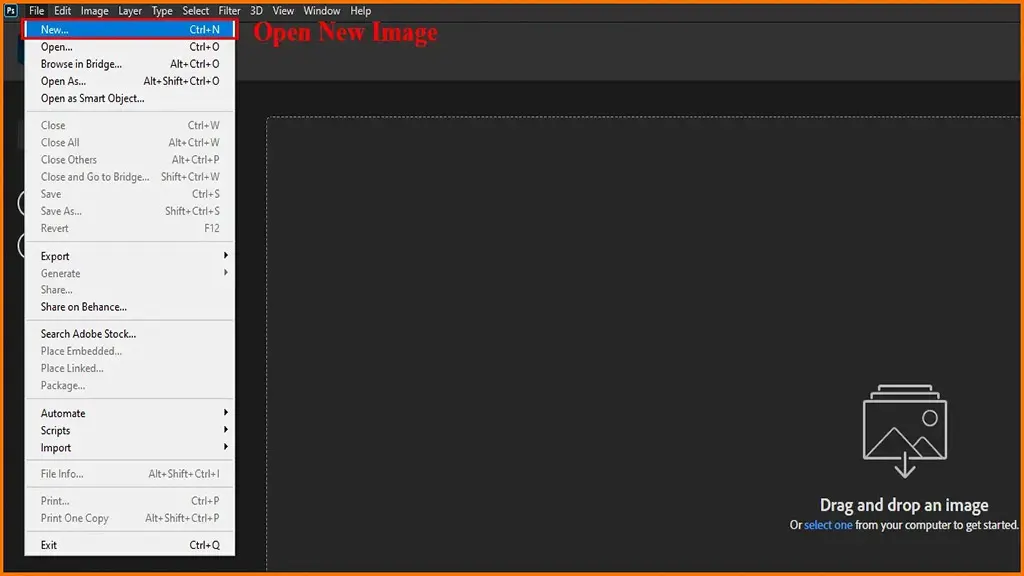
1. Launch Adobe Photoshop and open the image you wish to clip.
open new image photoshop

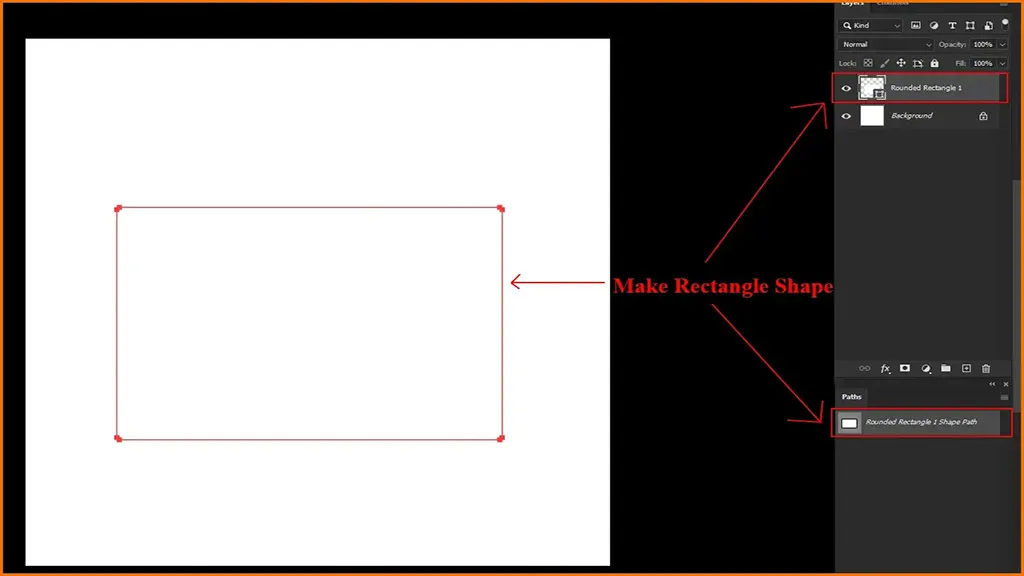
2. Place an image layer beneath a shape layer. This might take the form of a circle, rectangle, or another simple shape.
simple shape photoshop

3. Choose the image layer as well as the shape layer.
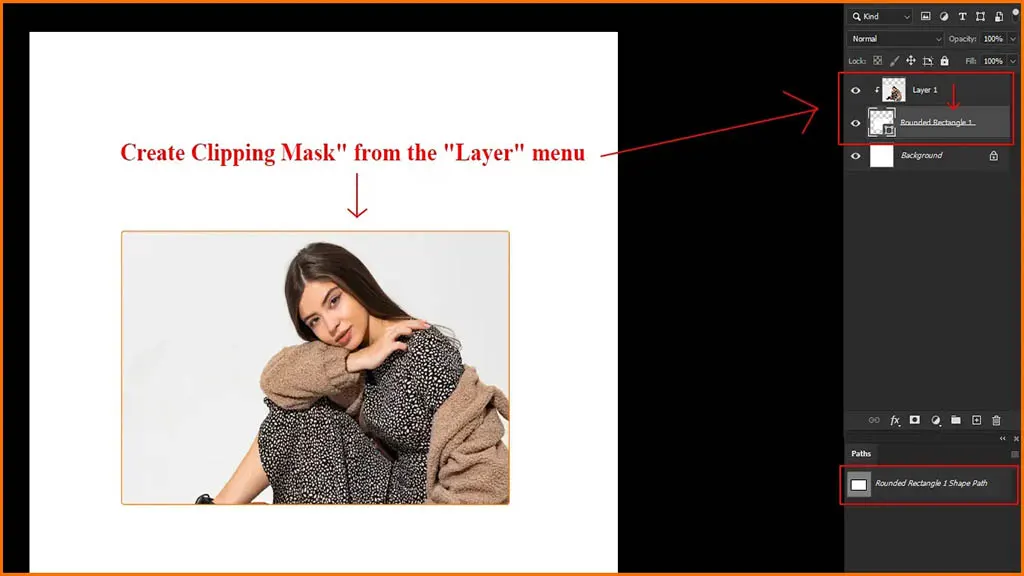
4. Select “Create Clipping Mask” from the “Layer” menu.

Create Clipping Mask

The picture will now be attached to the molded shape you made. You can also alter the size and position of the condition to acquire the appropriate clipping effect.

In Photoshop, Is There a Clipping Tool?

Yes, Photoshop provides various robust clipping tools that may be used to accurately and precisely choose a portion or the entirety of an image. The Magnetic Lasso, Pen Tool, and Quick Selection tools are some of Photoshop’s clipping tools. Each one allows you to select specific areas of an image for alteration with varying degrees of control and precision.

The Purpose of a Clipping Mask in Photoshop

Photoshop’s clipping masks are a beneficial and adaptable tool that lets you mask out certain portions of an image to make more powerful composites. You can smoothly integrate different photos into one embodiment by clipping masks and using them to produce the illusion that a portion of one image has been taken out of another.

Using clipping masks, you can build borders, make believable drop shadows, and blend colors in print, among many other effects. They are a practical approach to giving image textures and patterns. Clipping masks are a valuable tool for photographers, graphic designers, and other creatives since they are adaptable and straightforward.

The Best Way to Save a Clipping Path in Photoshop

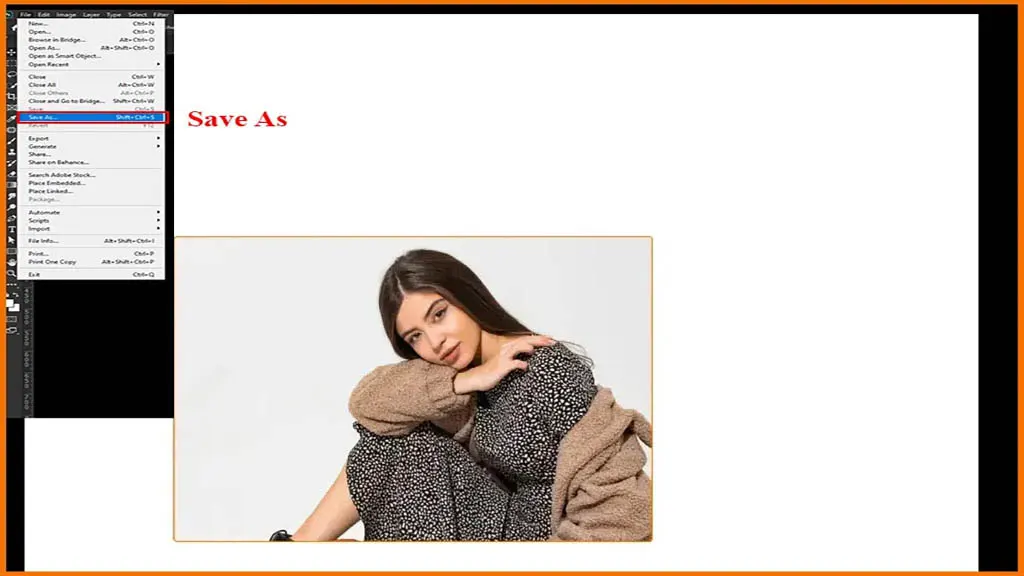
It’s simple to save a Photoshop clipping path so you can use it again. Select the clipping path in the Layers palette’s Paths tab before saving it. Then choose Save Paths from the File menu. Click save after giving the course a meaningful name. In any subsequent Photoshop session, you may now access the path from the Paths tab of the Layers palette.

How to Make a Photoshop Clipping Path Background-free

With Photoshop, background removal is effortless compared to the other ways we frequently see online when viewing commercial images or even on billboards and advertisements. Its components are highly regarded.

Editing is one of the most critical aspects of the enormous and practically unending e-commerce and photographic sector. Professionals employ editing programs with specialized tools that let users adjust, improve, and alter an image however they choose.

FAQ about Adobe Photoshop Clipping Path

Here are some free questions about adobe photoshop clipping path. In the above description, there are details about the topics. From the additional question you will be able to learn more about it.

What purpose does clipping have?

Only a fraction of the artwork is visible through the shape or shapes you generate using clipping paths. By making both a path for the image and a frame for the graphic, clipping pathways can be made to hide undesirable portions of an image.

Why is trimming necessary?

Clipping in computer graphics eliminates elements outside the viewing window, such as lines, objects, or line segments.

What benefits does clipping offer?

The benefits of Enhanced Presentation with Image Clipping.

 1. An excellent photograph with a tidy illustration will quickly grab people’s attention.

2. Better brand reputation;

3. simple image editing and illustration;

4. marketing and portfolio promotion;

 5. addition of clip art and Flash animation;

6. technology and sophistication.

Conclusion

In Adobe Photoshop, clipping paths are crucial for producing exact selections and separating items from their surroundings. This step-by-step tutorial will bring you through the process of utilizing Adobe Photoshop for clipping paths, whether you’re a novice or a professional trying to expand your knowledge.

You’ll discover the many tools at your disposal, how to make and modify pathways, save and export your finished work, and more. Thanks to its clear directions and valuable images, this manual will have you up and running in no time. It’s always possible to learn something new and advance your Photoshop skills, whether you’re a beginner or a pro.

  • Facebook
  • Share on X
  • LinkedIn
  • WhatsApp
  • Email
  • Copy Link
(Visited 63 times, 1 visits today)

Post navigation

< Previous
Next >

Leave a Reply Cancel reply

Your email address will not be published. Required fields are marked *

Top Services:

  • Clipping Path Service
  • Car Image Editing Service
  • Ghost Mannequin Service
  • Product Photo Editing Service
  • Multiple Clipping Path Service
  • Ghost Mannequin Service
  • Color Change Service
  • Drop Shadow Service
  • Color Change Service
  • Photo Editing Service
  • Image Masking Service

Popular posts:

  • How to Move Eyes in Photoshop and Online ToolsHow to Move Eyes in Photoshop and Online Tools
  • See Through Cloth In Photoshop − Best PracticeSee Through Cloth in Photoshop − Best Practice
  • How to Clip in GIMP: Step-by-Step Guide to Clipping…Step-by-Step Guide to Clipping Mask & Image Editing
  • How to Reverse Video in Photoshop: Photoshop GuideHow to Reverse Video in Photoshop Photoshop Guide
  • How to Export Photoshop Actions in 2025How to export Photoshop actions
  • How to Create an Alpha Channel in Photoshop?How to Create an Alpha Channel
  • How To Fix A Lazy Eye In Photoshop 2025Lazy Eye Problem Here’s What to Do,
  • How to Fix a Dark Polaroid Picture? Easy Solution to…How to Fix a Dark Polaroid Picture
  • 10 Professional Photo Manipulation Artists You Must Follow10 Professional Photo Manipulation Artists You Must Follow
  • How to Swap Eyes in Photoshop? All-Inclusive Guide How to Swap Eyes in Photoshop

Recent Post

  • Mastering Flat Lay Clothing Photography: A Step-by-Step Guide
  • How to Use Clipping Path After Effects in 5 Easy Steps
  • Merge Photos with Graphics
  • 5 Must-Have Effective Photo Editing Tools
  • Ghost Mannequin Photo Editing Services: Complete Guide for E-commerce Brands

Categories

  • Ghost Mannequin
  • Photo Editing
  • Tutorial

About CCI

Here, every pixel tells a story. We offer our unparalleled service and invest our most talented minds at your solution whether you are a photographer or an agency.
We are the gateway to exceptional photo editing services!

Get Your Quote

Quick Menu

  • About Us
  • Blog
  • Terms and Conditions
  • Privacy & Policy

Payment Method

  • PayPal
  • Stripe
  • Western Union
  • Skrill
  • Payoneer
  • Wise

Get In Touch

+8801715-491890

hello@clippingcreationsindia.com

Canada Office: 1401-2900 Carling Ave. Ottawa, ON, K2B 7J6

India Office: C-20, Lajpat Nagar 3, New Delhi, Delhi 110024, India

Bangladesh Office: 15 Bijoy Nagar, Abdur Rouf Tower (6th Floor), Dhaka – 1000, Bangladesh

Copyright © 2012 - 2026 Clipping Creations India | All rights reserved.

  • facebook
  • twitter
  • instagram
  • pinterest
  • linkedin

Live Chat